ABViewer
CAD viewers
CAD software
- Features
- Ease of use
- Ease of management
- Quality of support
- Affordability
- Market presence
Take the quiz to check if ABViewer and its alternatives fit your requirements.

$77 per user per year
 Free Trial
 Free version unavailable

Small

Medium

Large

- Agriculture, fishing, and forestry
- Construction
- Manufacturing
What is ABViewer
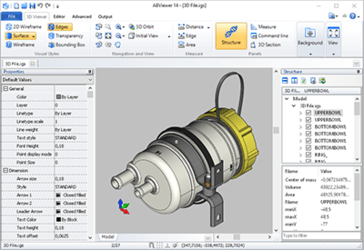
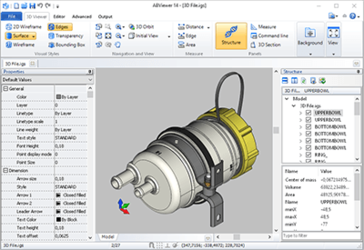
ABViewer is a Windows desktop application for viewing, editing, and converting CAD drawings and related technical files. It is used by engineering, construction, and manufacturing teams that need to open DWG/DXF and other common formats for review, markup, measurement, and basic drafting changes without deploying a full CAD suite. The product combines a 2D/3D viewer with limited CAD editing tools and batch conversion/printing features in a single interface.

Broad CAD format support
ABViewer focuses on opening and working with common CAD exchange formats, especially DWG and DXF, which are frequent requirements for cross-team collaboration. It also supports viewing of additional technical formats (including 3D and raster/PDF content depending on edition), which helps when drawings arrive from different sources. This reduces the need to install multiple specialized viewers for routine review tasks.
Built-in markup and measurement
The application includes tools for measuring geometry and adding annotations/markups during drawing review. These capabilities support common workflows such as design checks, redlines, and coordination between engineering and field teams. Keeping review tools in the same desktop app as the viewer can simplify feedback cycles compared with using separate PDF or image tools.
Conversion and batch output tools
ABViewer includes file conversion and output features that are commonly used for sharing and archiving, such as exporting to other formats and printing. Batch-oriented functions help when teams need to process many drawings at once (for example, converting deliverables or preparing print sets). This is useful in document-control and project handover workflows where repeatable output matters.

Not a full CAD suite
While ABViewer can edit drawings, it is primarily positioned for viewing and lightweight drafting rather than end-to-end mechanical or parametric design. Organizations that require advanced modeling, simulation, or complex assembly workflows typically need a dedicated CAD platform. As a result, ABViewer often complements rather than replaces primary design tools.
Windows-centric deployment
ABViewer is delivered as a desktop application, which can limit use in mixed OS environments or on mobile devices. Teams that prefer browser-based access for external stakeholders or distributed review may need additional tooling. This can add friction for collaboration scenarios that rely on web sharing and link-based review.
Collaboration features are limited
Compared with platforms designed around multi-user collaboration, ABViewer’s workflow is more file-centric and local. It does not function as a cloud-native system of record for CAD data, versioning, or permissions. Teams may need separate document management or PLM/PDM processes to control revisions and approvals.
Plan & Pricing
| Plan | Price | Key features & notes |
|---|---|---|
| Professional (User license, 1-year subscription) | $77 per user / year | Full set of supported formats; measuring and section tools; limited number of features compared to Enterprise; floating-license option available; 5% discount for 2+ licenses. |
| Enterprise (User license, 1-year subscription) | $154 per user / year | All Professional features plus PDF→DWG conversion, batch conversion & print, 2D file comparison, command-line tools; floating-license option available; 5% discount for 2+ licenses. |