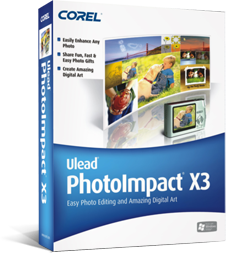
PhotoImpact
Photo editing software
Photography software
- Features
- Ease of use
- Ease of management
- Quality of support
- Affordability
- Market presence
Take the quiz to check if PhotoImpact and its alternatives fit your requirements.

 Free Trial unavailableFree version unavailable

Small

Medium

Large

- Education and training
- Information technology and software
- Media and communications
What is PhotoImpact
PhotoImpact is a raster-based photo editing application focused on retouching, compositing, and creating graphics from photos. It targets individual users and small teams that need desktop tools for image correction, effects, and basic design outputs for print or web. The product is known historically as a Windows-based editor with template-driven workflows and bundled creative effects rather than a cloud-first collaboration model.

Broad raster editing toolkit
PhotoImpact provides common photo-editing functions such as selection tools, layers, filters/effects, and retouching utilities. This supports typical workflows like color correction, object removal, and compositing multiple images. For users who prefer a desktop editor, it can cover many day-to-day editing needs without requiring a browser-based workflow.
Template and effect workflows
The product historically emphasizes ready-made effects, frames, and templates for fast output creation. This can reduce time for routine tasks like social graphics, banners, and simple photo enhancements. Compared with more design-led tools, it leans toward photo manipulation features while still offering guided creation options.
Offline desktop usage
As a desktop application, PhotoImpact can be used without continuous internet access. This suits environments with restricted connectivity or users who prefer local file control. It also aligns with workflows that rely on local asset libraries and on-device processing rather than cloud rendering.

Unclear current product status
PhotoImpact is widely associated with legacy releases and may not have the same active development cadence as newer photo editors. Buyers may find limited recent information on updates, supported operating systems, or current licensing. This can increase risk for long-term adoption and compatibility planning.
Limited cloud collaboration features
PhotoImpact is not positioned as a cloud-first platform with real-time collaboration, shared brand kits, or browser-based editing. Teams that need multi-user workflows, centralized asset management, and easy sharing links may require additional tools. This can add operational overhead compared with modern web-based suites.
Ecosystem and integrations constraints
Compared with platforms that offer extensive integrations (storage, publishing, automation, and AI services), PhotoImpact typically has fewer native connectors. This can make it harder to standardize workflows across marketing, content, and DAM systems. Organizations may need manual export/import steps for downstream use.
Seller details

Corel Corporation

Ottawa, Ontario, Canada

1985

Private

https://www.corel.com/

https://x.com/corel

https://www.linkedin.com/company/corel