AOMEI Image Deploy
Hard drive cloning software
Backup software
Data recovery software
- Features
- Ease of use
- Ease of management
- Quality of support
- Affordability
- Market presence
Take the quiz to check if AOMEI Image Deploy and its alternatives fit your requirements.

$199 per license
 Free Trial unavailable
 Free version

Small

Medium

Large

- Information technology and software
- Agriculture, fishing, and forestry
- Retail and wholesale
What is AOMEI Image Deploy
AOMEI Image Deploy is a Windows-based network imaging tool used to deploy a system image to multiple PCs simultaneously. It targets IT administrators and technicians who need to roll out standardized OS builds across many machines in labs, classrooms, or small-to-midsize enterprise environments. The product focuses on PXE boot-based deployment and multicast distribution rather than ongoing endpoint backup management. It is typically used alongside a separate imaging/backup tool to create the source image that gets deployed.

Multicast network image deployment
It supports deploying a single system image to multiple client computers at the same time over the network. Multicast distribution can reduce bandwidth consumption compared with pushing separate unicast streams to each device. This fits common mass-provisioning scenarios such as new PC rollouts or reimaging after a refresh. The workflow is oriented around repeatable, standardized deployments rather than one-off cloning.
PXE boot deployment workflow
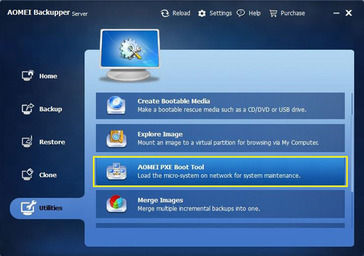
It provides a PXE boot mechanism so target machines can boot into a pre-OS environment for imaging without requiring a preinstalled agent. This can simplify bare-metal provisioning when devices have blank drives or corrupted OS installations. It also reduces the need to prepare bootable USB media for each device. The approach aligns with typical IT imaging practices in managed networks.
Designed for technician-led rollouts
The product is built around a central console that coordinates deployment jobs from an administrator workstation. It is suited to environments where a technician controls imaging sessions and schedules batches of machines. Compared with general-purpose backup tools, the feature set is more focused on deployment logistics (booting, discovery, and pushing images). This specialization can make it easier to use for mass deployment than broader suites that prioritize backup policies and retention.

Not a full backup platform
It is primarily a deployment utility and does not function as a comprehensive backup management system with scheduling, retention policies, and long-term storage targets. Organizations typically need a separate product to create, manage, and verify backups over time. If the requirement is continuous data protection or centralized backup reporting, this tool alone is insufficient. This can increase operational complexity when compared with integrated backup-and-recovery suites.
Limited data recovery capabilities
The product’s core workflow is restoring/deploying an image rather than performing granular file recovery, forensic recovery, or advanced recovery workflows. It is not positioned as a dedicated data recovery tool for recovering deleted files from damaged media. Recovery use cases are generally limited to reimaging a machine from a known-good image. Users needing deeper recovery features typically require separate utilities.
Requires compatible network setup
PXE-based deployment depends on network configuration and permissions that may be restricted in some environments. It can require coordination with DHCP/TFTP/PXE settings and may be harder to use across segmented networks or strict security controls. Performance and reliability also depend on network quality when deploying to many endpoints at once. These dependencies can make it less suitable for remote or highly distributed deployments without local infrastructure.
Plan & Pricing
| Plan | Price | Key features & notes |
|---|---|---|
| Free | Free | Freeware for all users; supports deploying images to up to 20 server machines simultaneously; limited features (no Universal Restore, no preset client IP options). |
| Technician | $199 (one-time) | Business/commercial edition; supports deployment to an unlimited number of Windows Server machines and Windows PCs; includes Universal Restore and preset client IP options; allows providing paid technical services to clients. |
Seller details

AOMEI Technology Co., Ltd.


Private

https://www.aomeitech.com/

https://www.linkedin.com/company/aomei-technology/