Tipard Video Converter Ultimate
File converter software
- Features
- Ease of use
- Ease of management
- Quality of support
- Affordability
- Market presence
Take the quiz to check if Tipard Video Converter Ultimate and its alternatives fit your requirements.

$18.00 per month
 Free Trial
 Free version unavailable

Small

Medium

Large

-
What is Tipard Video Converter Ultimate
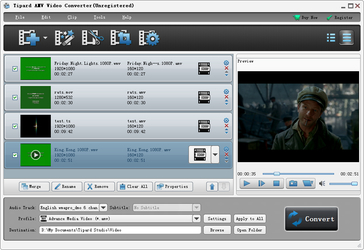
Tipard Video Converter Ultimate is a desktop file conversion utility focused on converting video and audio files between common consumer and professional formats. It targets individual users and small teams that need to re-encode media for device compatibility, sharing, or basic post-processing. The product combines format conversion with lightweight editing tools (trim, crop, merge, effects) and supports batch processing. It is typically licensed as a paid Windows/macOS application rather than a cloud service.

Broad media format support
The product focuses on converting between a wide range of video and audio containers and codecs used in everyday workflows. This helps when source files come from different cameras, screen recorders, or downloaded media. It also supports exporting to device-oriented presets, which can simplify choosing compatible output settings.
Batch conversion workflow
Tipard Video Converter Ultimate supports converting multiple files in a single job, which is useful for libraries of clips or episodic content. Batch processing reduces repetitive setup compared with converting files one-by-one. It also fits simple operational workflows where users need consistent output settings across many files.
Built-in basic editing tools
The application includes basic editing functions such as trimming, cropping, merging, and applying simple filters/effects. These tools can reduce the need to open a separate editor for minor adjustments before export. For straightforward tasks (e.g., removing intros, resizing, or rotating), this can streamline the conversion process.

Limited enterprise governance features
The product is primarily a desktop converter and does not emphasize centralized administration, policy controls, or audit trails. Organizations that require managed deployments, role-based access, or compliance reporting may need additional tooling. This can be a constraint compared with platforms designed for enterprise document/media processing at scale.
Not a full video editor
Editing capabilities are oriented toward basic pre-export adjustments rather than multi-track timelines, advanced color work, or audio mixing. Users needing complex editing workflows typically require dedicated video editing software. As a result, Tipard is best suited to conversion-first use cases.
Unclear public company details
Publicly verifiable corporate information about the vendor (legal entity name, headquarters, and executive leadership) is not consistently presented across official materials. This can complicate vendor due diligence for procurement teams. Buyers may need to confirm ownership, support terms, and data handling practices directly with the seller.
Plan & Pricing
| Plan | Price | Key features & notes |
|---|---|---|
| 1‑Month License (1 PC) | $18.00 (discounted from $36.00) | 1-month access to full features; auto‑renewal (cancel anytime); monthly upgrades & support; 7‑day money‑back guarantee; Windows & macOS pages list this price. |
| Lifetime License (1 PC) | $56.00 (discounted from $70.00) | Lifetime access to full features; lifetime upgrades & support; one‑time purchase; 30‑day money‑back guarantee. |
| Video Converter Ultimate + Screen Capture (bundle, 1 PC) | $89.00 (discounted from $131.25) | Bundle includes Video Converter Ultimate + Screen Capture; lifetime access & support; 30‑day money‑back guarantee. |
| Tipard Video & Blu‑ray Pack (bundle, 1 PC) | $115.00 (discounted from $206.25) | Multi‑product bundle (Video Converter Ultimate + Screen Capture + Blu‑ray Converter); lifetime access & support. |