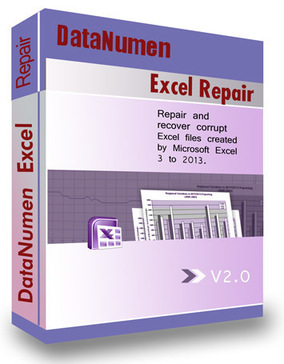
DataNumen Excel Repair
File recovery software
Backup software
Data recovery software
- Features
- Ease of use
- Ease of management
- Quality of support
- Affordability
- Market presence
Take the quiz to check if DataNumen Excel Repair and its alternatives fit your requirements.

$89.95 per license
 Free Trial unavailable
 Free version

Small

Medium

Large

- Professional services (engineering, legal, consulting, etc.)
- Banking and insurance
- Real estate and property management
What is DataNumen Excel Repair
DataNumen Excel Repair is a Windows utility designed to repair corrupted Microsoft Excel workbook files (such as .xls and .xlsx) and recover spreadsheet data. It targets individuals and IT/support teams that need to restore content from damaged Excel files due to application crashes, storage issues, or improper shutdowns. The product focuses on file-level repair and recovery rather than system-wide backup or enterprise data protection workflows. It is typically used as an on-demand tool for specific Excel recovery incidents.

Specialized Excel file repair
The product is purpose-built for Microsoft Excel workbook corruption scenarios rather than general-purpose backup or storage management. This specialization aligns with use cases where the primary requirement is recovering spreadsheet content from a specific damaged file. It can be deployed as a standalone utility without broader infrastructure dependencies. For organizations that frequently handle Excel-based reporting, it provides a focused remediation option.
Simple, on-demand workflow
The tool is designed for ad hoc recovery, which fits help-desk and end-user scenarios where a single file must be repaired quickly. It does not require setting up repositories, agents, or cloud accounts typically associated with backup platforms. This reduces operational overhead for small teams or individual users. It can be kept available as part of a desktop troubleshooting toolkit.
Works with common Excel formats
DataNumen Excel Repair is positioned to handle widely used Excel workbook formats, supporting typical environments where both legacy and newer files exist. This helps in mixed-version estates where users may still encounter older .xls files alongside .xlsx. Format coverage is important for recovery tools because corruption issues often occur across versions. It supports use cases where the original application cannot open the file normally.

Not a backup or DR platform
Despite being adjacent to data protection, the product does not replace backup software, retention policies, or disaster recovery orchestration. It is reactive: it attempts repair after corruption occurs rather than preventing loss through versioned backups. Organizations needing centralized management, immutable storage, or compliance reporting typically require a dedicated backup/data protection suite. It is best treated as a complement to, not a substitute for, backup.
Narrow scope beyond Excel
The product focuses on Excel workbooks and does not address broader file-system recovery, VM recovery, SaaS recovery, or database/application-aware restores. If an organization’s incidents span multiple file types and workloads, a single-file repair utility can create tool sprawl. IT teams may still need additional products for email, endpoint, server, and cloud workload recovery. This limits standardization for enterprise-wide recovery operations.
Unclear enterprise governance features
File repair utilities commonly provide limited capabilities for centralized deployment, role-based access control, audit logging, and policy enforcement compared with enterprise data protection tools. If the organization requires controlled workflows and evidence for compliance, a desktop repair tool may not meet governance requirements. Licensing and support models may also be oriented toward individual or small-team usage rather than large-scale procurement. Buyers should validate administrative controls and support SLAs for their environment.
Plan & Pricing
| Plan (license quantity) | Price (US$ per license) | Key features & notes |
|---|---|---|
| 1 | $89.95 each | One-time license for single user; Buy via FastSpring/PayPro/BMTMicro; full version delivered immediately. |
| 2 - 9 | $69.95 each | Volume discount for small teams. |
| 10 - 24 | $49.95 each | Mid-tier volume discount. |
| 25 - 49 | $39.95 each | Larger-team discount. |
| 50 - 99 | $29.95 each | Larger-team discount. |
| 100 - 199 | $19.95 each | Enterprise volume pricing band. |
| 200 - 499 | $16.95 each | Enterprise volume pricing band. |
| 500+ | $11.95 each | Deep volume discount for very large licenses. |
Notes: Prices and the “Specials run until the end of this week!” sale messaging are taken directly from DataNumen’s official buy page. The site also states a 30-day money-back guarantee and immediate delivery of the full version after purchase.